Built around one question: what does the person running the meeting have to do?
The answer should be almost nothing.
Live audio and video
Stream in whichever format suits the committee. Switch between them meeting by meeting.
Agenda item tagging
Tag items live so residents jump straight to the debate they came for, in the live stream and the archive.
Pause and resume
Drop out of the stream for exempt or confidential items and pick straight back up.
Automatic archiving
Recordings publish themselves, indexed and searchable, and stay available for at least the minimum period stated in your plan, or longer by agreement.
CMS integration
We link the player into your content management system so your web team doesn't have to.
Real-time transcription New
An optional live transcript runs alongside the stream and stays with the recording, with an automatic summary of the meeting once it ends.
Teams, Zoom and Webex
Take the feed straight from the platform you already run hybrid meetings on.
Nothing goes out early
The public stream only opens when you start the broadcast. Pre-meeting chatter in the chamber stays in the chamber.
Verification and back-up
Real-time data verification with a second copy recorded off-site, so a dropped connection still leaves you with a complete recording.
Accessibility
Keyboard-operable throughout, AA contrast, and low bandwidth requirements for residents on slower connections. Audio meetings meet WCAG 2.2 AA as they stand.
Usage reporting
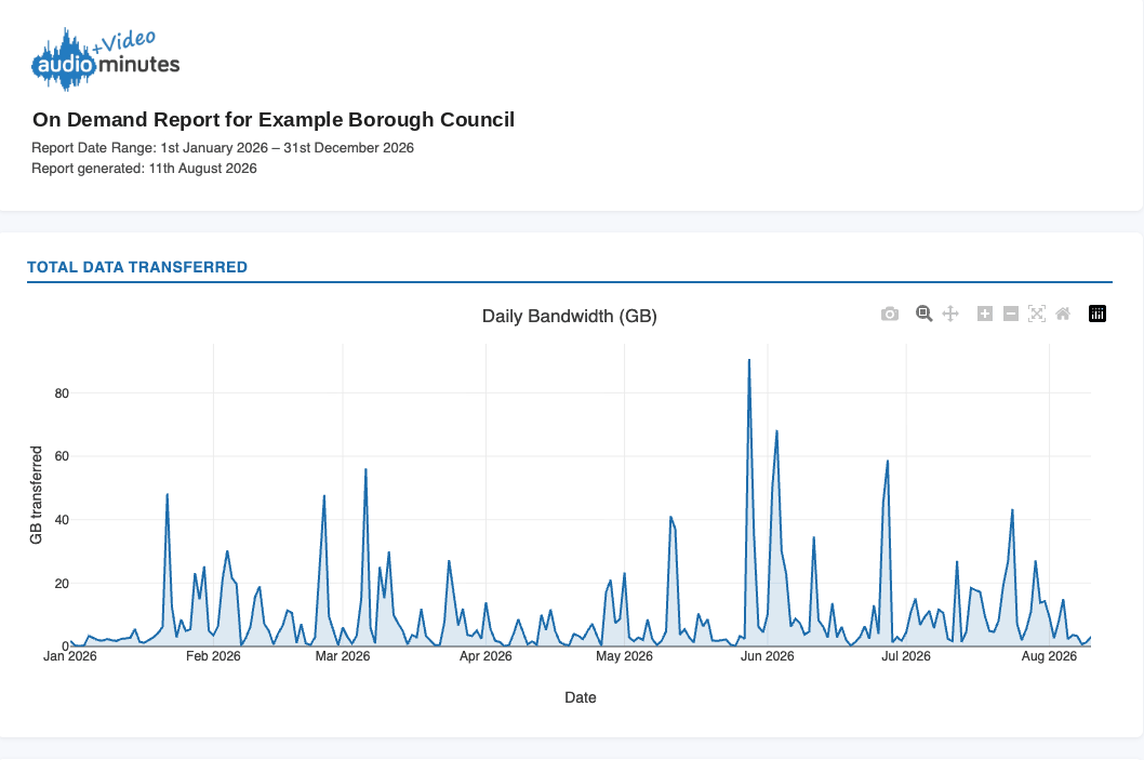
Your own figures for your own authority: how much was delivered, which recordings drew the most listener sessions, and how long each one stayed available. Interactive in the browser, or a PDF to drop straight into a committee paper.
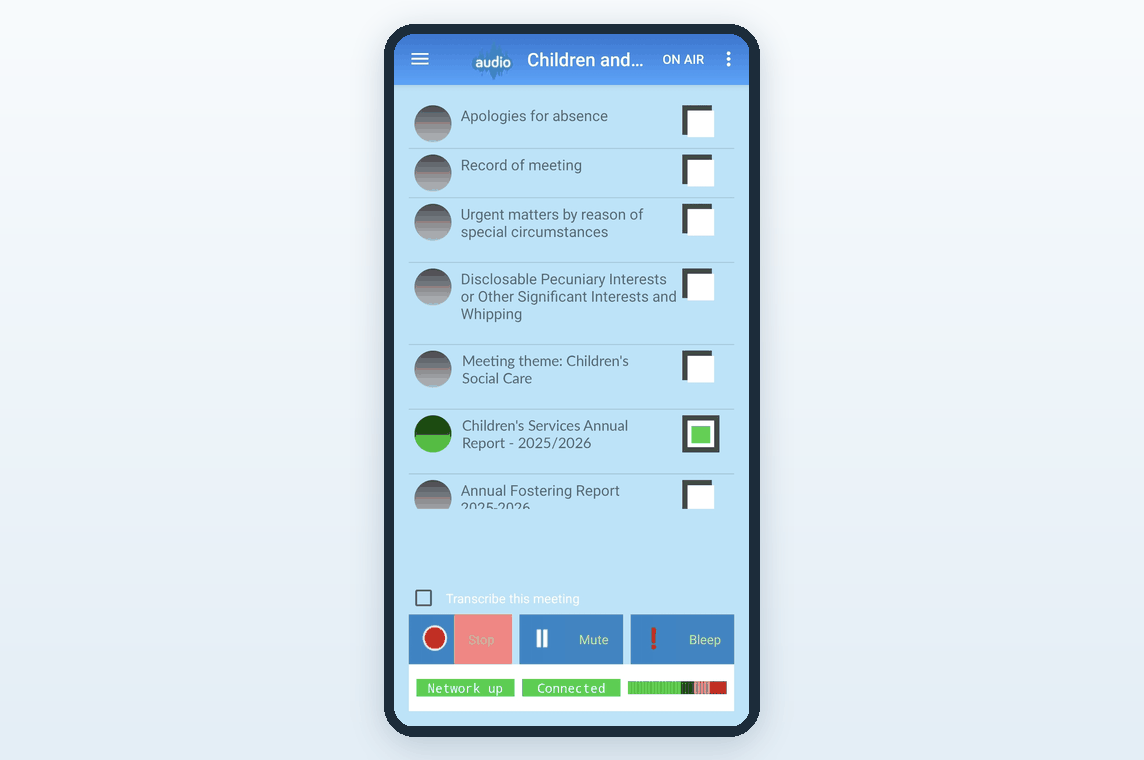
Run the whole broadcast from one screen
Big targets, and a clear state at all times: live, paused, or stopped. Today it runs on Android tablets and phones, or any browser.
A rewritten app is in development for Android, iOS, macOS and Windows, due to launch by the end of 2026, so the clerk can run a meeting from whatever the council already has. It goes to every customer, old and new, at no extra cost.
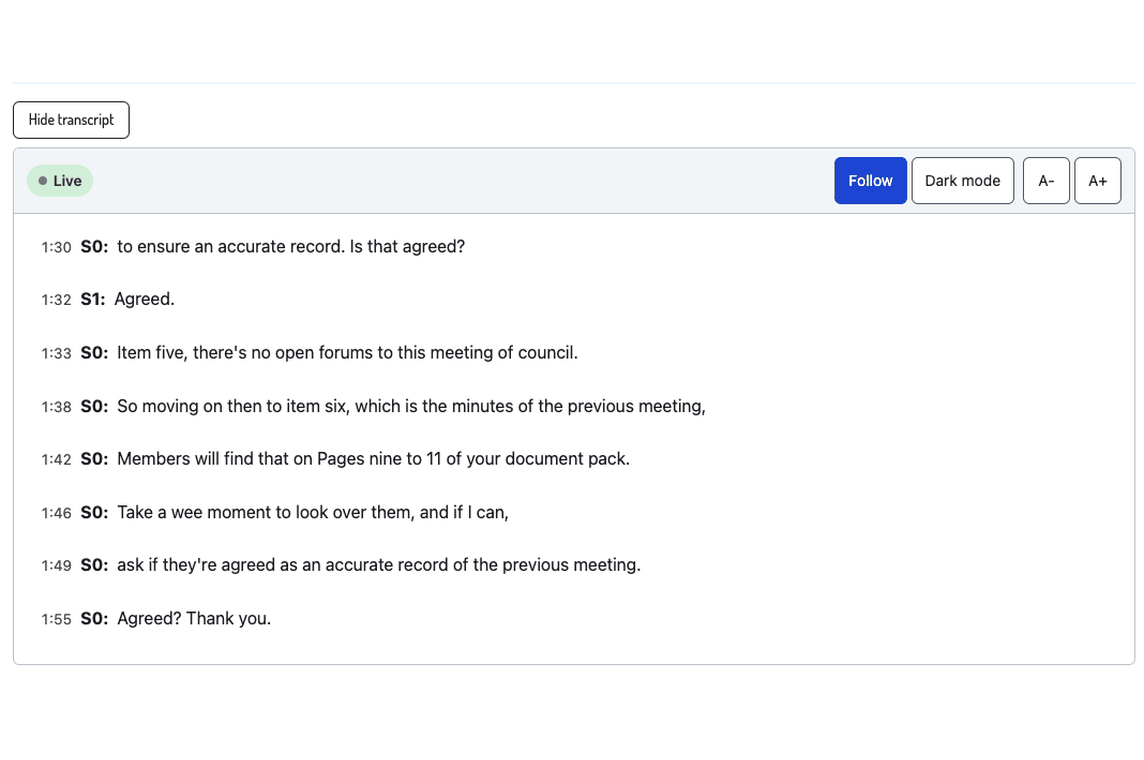
A live transcript, as the meeting happens
Words appear beside the stream in real time and follow the playhead in the archive. Residents can read along or search the text; officers can pull a record without listening back to three hours of audio. When the meeting ends you also get an automatic summary of what was discussed.
Optional: turn transcription and summaries on per committee, or leave them off entirely.
Residents find the bit they care about
The jump-to menu lists every tagged agenda item. One click moves the playhead. It's the feature councillors mention most.
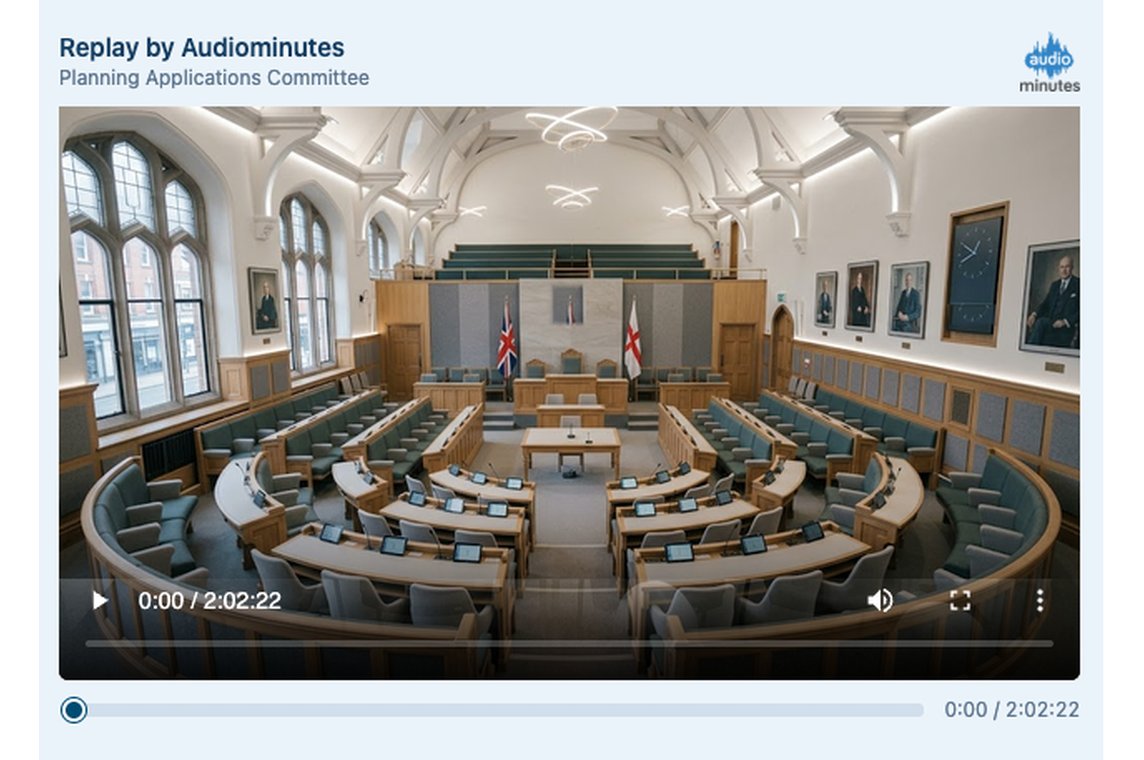
Schedule, publish, review
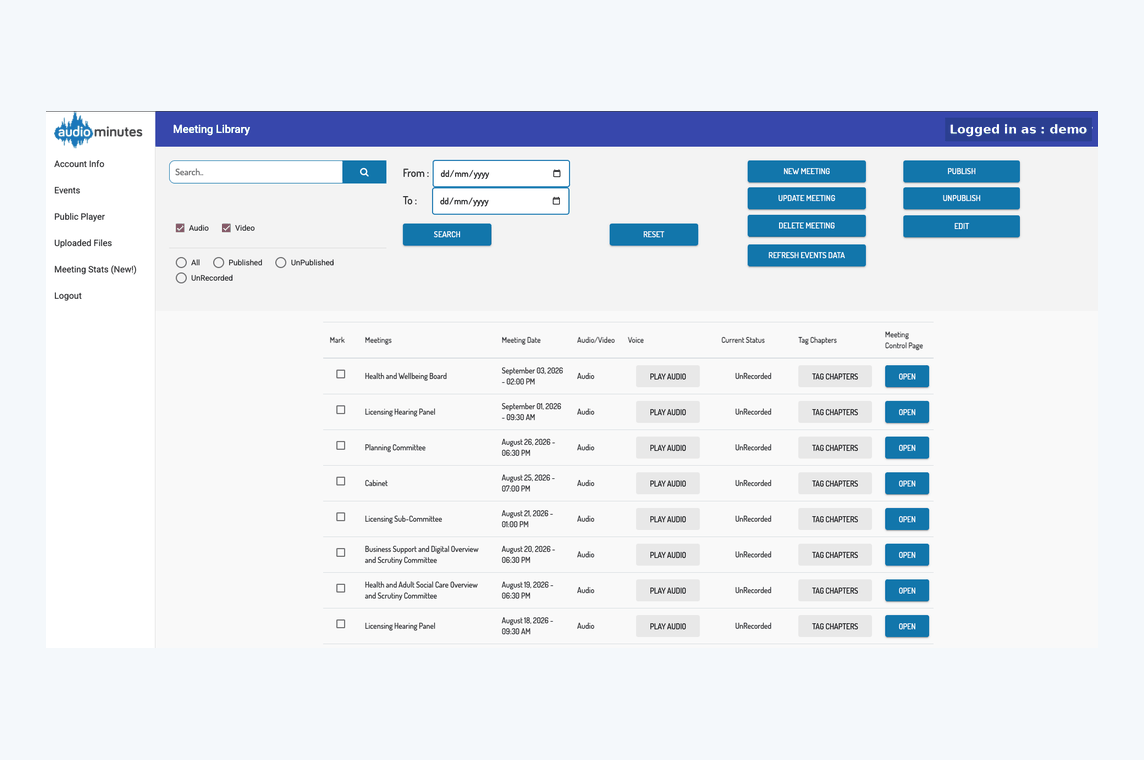
Set up the next meeting, load the agenda, check what streamed and grab embed links for your website.
See what people watched
Every authority gets its own report for each year, covering data delivered, the recordings that drew the most listener sessions and how long each one stayed available. Read it in the browser or download the PDF for a committee paper.
We'll come and look at your chamber
Most councils don't have an AV specialist, and shouldn't need one. If the room is the problem, we can solve it with you rather than send a specification and wish you luck.
Arrange a site surveyOn-site AV consultancy
We survey the chamber, recommend microphones and cameras that suit the room and the budget, help you buy them, and set the whole thing up so it works on the first meeting rather than the third.
Bespoke configuration
Not on Teams or Zoom? Unusual committee structure, an in-house conferencing system, a requirement nobody else has? Tell us what the meeting needs to do and we'll configure around it. We're a small team, which is why we can say yes to that.
What we're building now
The app on every platform
A ground-up rewrite of the control app for Android, iOS, macOS and Windows, with the same interface whether the clerk is on a tablet, a phone or a laptop. Due by the end of 2026.
Automatic feed quality monitor
Continuous checks on your incoming feed, with plain-English guidance on microphone placement and levels so speech comes through clearly to listeners.
In-portal audio and video editing
Trim the start and end of a recording, or remove a section, without downloading files or waiting on us.
YouTube integration
Already broadcasting to YouTube? Keep the channel and let us handle the scheduling, the live agenda tagging and an archive residents can search.
Voting
Take a recorded vote from the same app that's running the broadcast, with the result captured against the agenda item it belongs to.